At a regional pizza chain with about 15 employees spread across several locations, tracking work hours used to be a manual, repetitive, and error-prone process.
Every week, the manager had to comb through Excel spreadsheets, adjust schedules based on tolerances, flag late arrivals or early departures, and log any incidents. Not only was this time-consuming, but it also created a high risk of payroll inconsistencies and potential legal issues due to inaccurate records.
The Solution: Tailor-Made Software
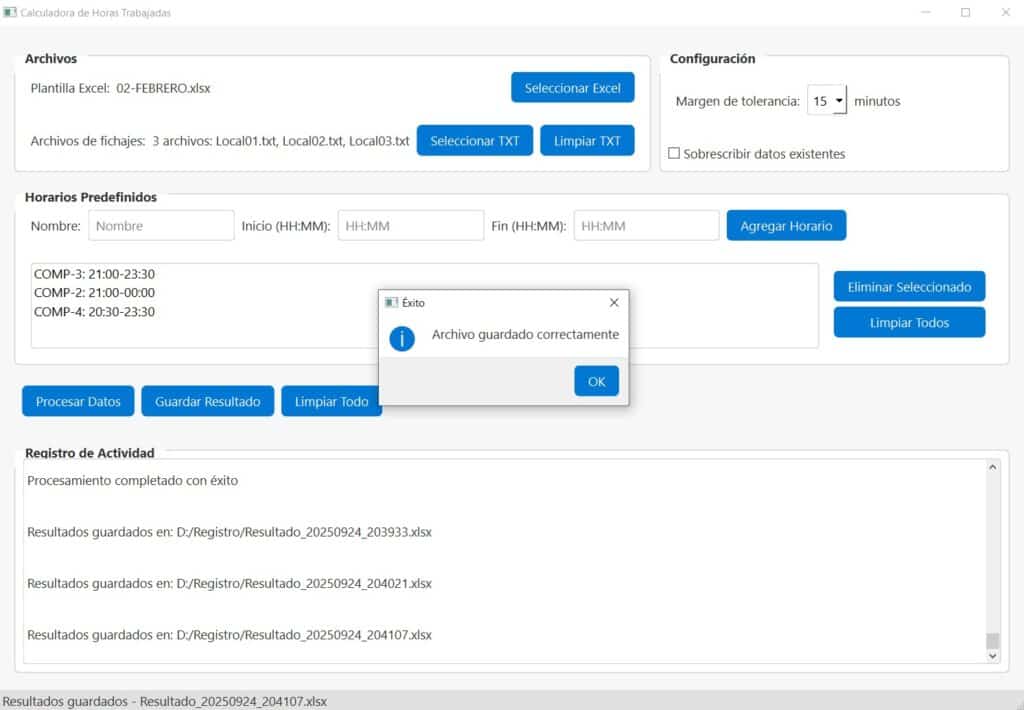
To address this, I built a desktop application in Python, packaged as an .exe, that automates nearly the entire workflow while keeping the same familiar Excel templates.
The software processes time logs in seconds, automatically detects irregularities, applies configurable rules, and generates a payroll-ready Excel file.
No more editing formulas, checking logs one by one, or redoing calculations — everything is now done in just three simple steps: upload → process → export.
Key Features
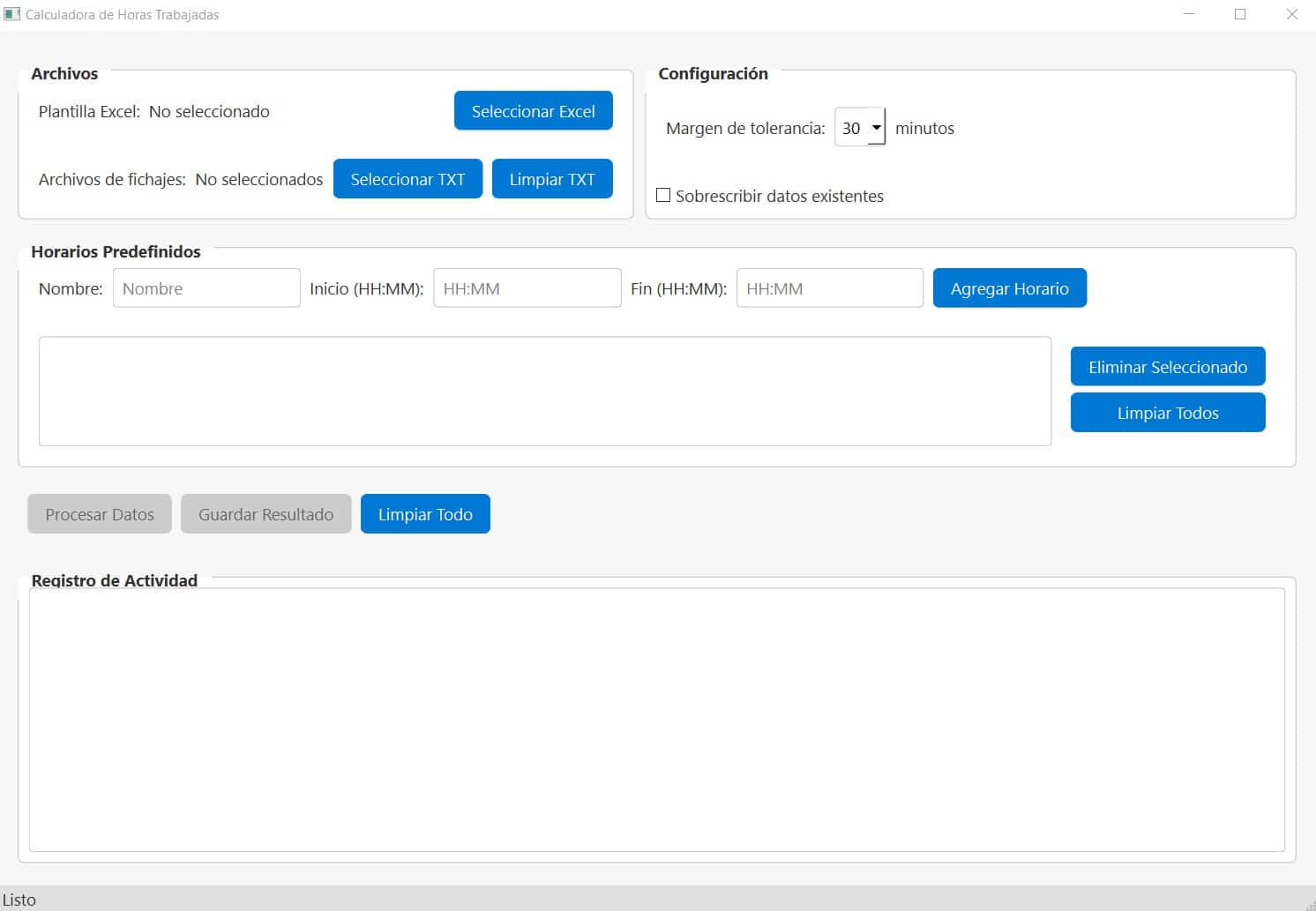
1. Multi-Location Data Import
- Supports uploading multiple TXT log files in a single run.
- Automatically integrates with the company’s existing Excel template.
- Includes a reset/clear option without restarting the program.

2. Customizable Settings
- Minute tolerance (0–60) to prevent minor delays from being flagged as incidents.
- Option to either overwrite or keep existing values in Excel.
- Predefined schedules: shift profiles (e.g., “Night 6:00 PM – 12:00 AM”), stored in JSON for easy reuse.

3. Smart Time Log Processing
- Automatically groups entries by employee, date, and location.
- Detects and flags common issues:
- Late arrivals or early check-ins
- Incomplete logs (missing in/out) → auto-completed
- Shifts crossing midnight
- Work on scheduled days off
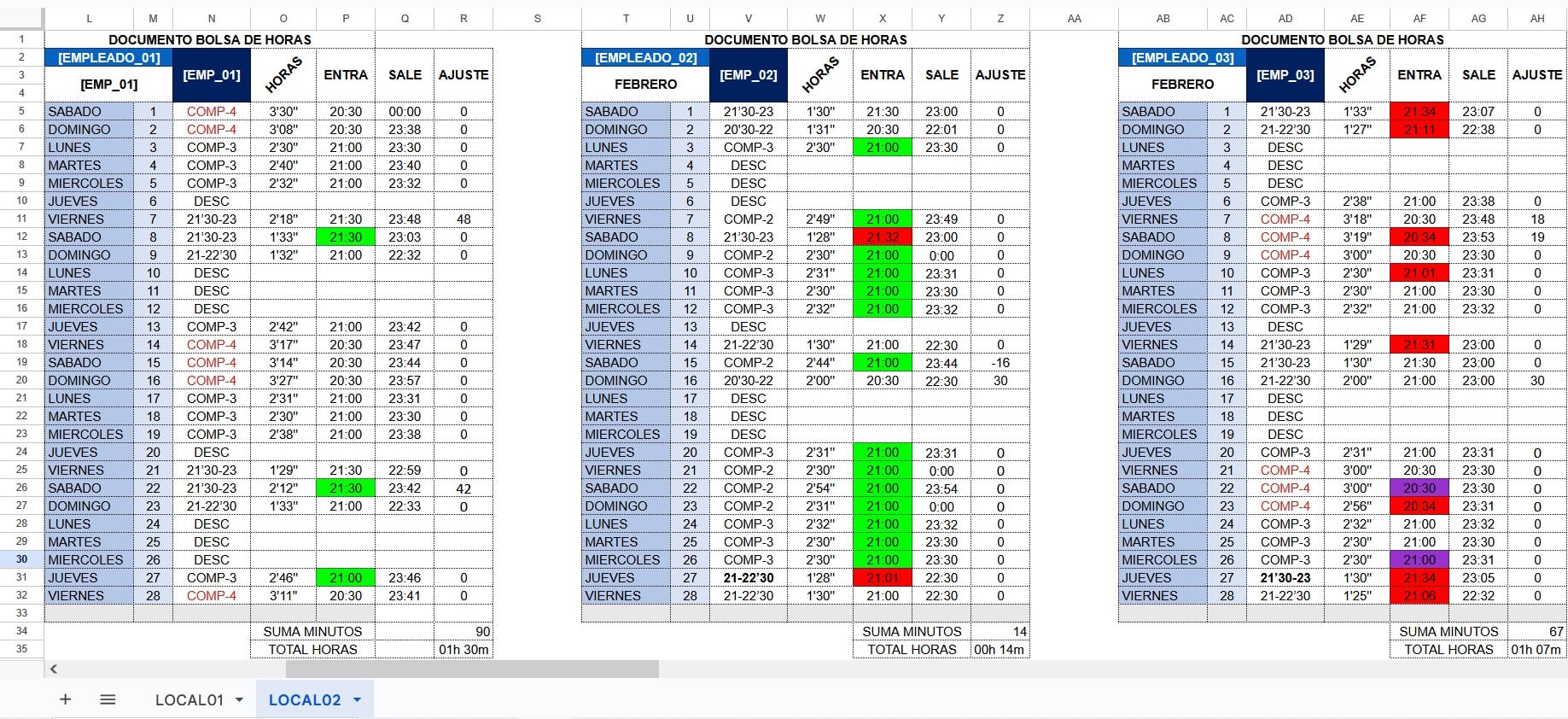
- Highlights results in Excel with color codes for clarity:
- Green → early arrival
- Red → late arrival
- Yellow → anomalies (e.g., working on a day off)
- Purple → auto-completed entries
4. Logging & Transparency
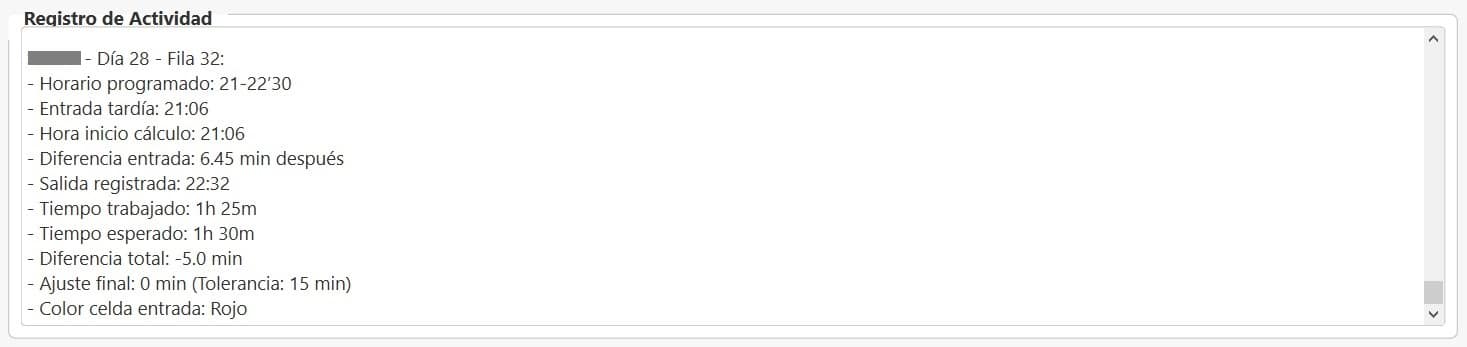
- Real-time log displaying every calculation, issue, and action taken (e.g., “Missing clock-out auto-completed at 12:00 AM”).
- Ideal for audits and for providing transparency when explaining adjustments to employees.
5. Final Export
- Generates a fully processed Excel file ready for payroll, with color codes and detected issues already applied.
- Allows saving with a custom name and starting a new cycle without hassle.
Benefits for the Company
Easy distribution: The .exe runs on any Windows PC without needing Python or additional libraries.
From hours to minutes: What used to take several hours of manual review can now be done in just a few clicks.
Fewer errors: Configurable tolerances and smart auto-completion reduce payroll mistakes and disputes.
Unified multi-location tracking: Consolidates data from multiple sites, regardless of employee count or shift complexity.
No learning curve: Works with the existing Excel templates, so no extra training is required.